I was reading an article on rsync in order to save my webserver wiki files remotely because!–and I came across the sentence:
I automated my backups because – “automate everything.”
–from “Using rsync to back up your Linux system”
Delightful.

I was reading an article on rsync in order to save my webserver wiki files remotely because!–and I came across the sentence:
I automated my backups because – “automate everything.”
–from “Using rsync to back up your Linux system”
Delightful.

Experts are not what they know but what they do.
Repeatedly.–page 81
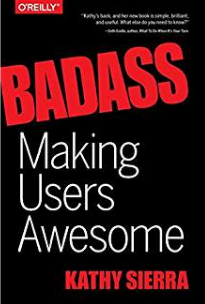
OK then, I want to learn Laravel the O’Reilly “Head First” way. Kathy Sierra came up with the idea when she started writing books on Java around 2003: Kathy says: you don’t focus on the tool, you focus on making the user of the tool awesome.
So how does one make the user awesome? One breaks the subject matter down into small lessons, and repeats them alot, to achieve a fast learning flow.
Also using whole-body techniques– Splash! Wake me up with a tiger to get my attention.
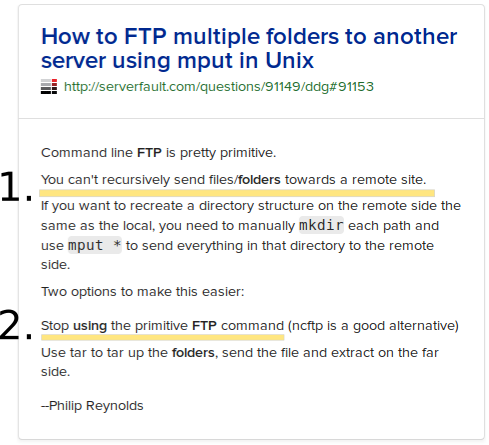
I was working on figuring out how to log ftp scripts, and discovered how to use a remote file: .netrc to store usernames and passwords. So I’m going to have to apply that to a number of scripts in the DigitalSignage program I’m working on. Hmmm, which makes me realize I’m doing the same for the main RETS library I’m accessing!
Then I randomly clicked on a YouTube “Tech Code” channel and watched a guy describing how he accidentally hard-coded a password into his program, and saved it to git–thereby uploading it to anyone who has access to the source code. Yikes!
The solution to hard-coding usernames and passwords into programs that get moved about is to use an environmental file: .env (for python or laravel for instance) that stores the either local or remote (test / production) settings. Of course!
OK, I found a couple books: Web Analytics 2.0, and Web Analytics: An Hour A Day, both by Avinash Kaushik. Looking good, but really old in internet years. I remember making a point to study the first book a long time ago…
Step 2: Google him!
I found a few interesting things: 1) his website is called Occam’s Razor. It formed the basis for his books, so I should be able to get a lot of info from them.
Next I found: “5 Avinash Kaushik blogs every digital marketer should read” in google search. Why not?! I’m getting distracted.
In signing up for Avinash’s newsletter, he refers me to an article featuring an icon of the design industry: Dieter Rams: Ten Principles of “Good Design”, one can’t go wrong studying Dieter!
So, time to do the “hour a day” in reading up on this. (Only problem, I’m already overbooked!)

Think back to the mobile phone you had in 2010. It could access the internet, but it wasn’t such a great experience. On average, people only spent 20% of their time online on their phones back then, according to Zenith, a media agency. Today, by contrast, we spend around 70% of our time on the internet on phones, based on estimates and forecasts for more than 50 countries covering two-thirds of the world’s population. By 2019, Zenith says this will rise to close to 80%. What used to be called “mobile internet” is now just the internet.